> For the complete documentation index, see [llms.txt](https://manual.selarti.com/llms.txt). Markdown versions of documentation pages are available by appending `.md` to page URLs; this page is available as [Markdown](https://manual.selarti.com/manual-en/main-sections-of-the-service/integration.md).
# Integration
*In the* «*Integrations*» *section you can set up integration with any external service, as well as configure daily reports to a chat, channel, or direct messages in Telegram.*
## General view of the section
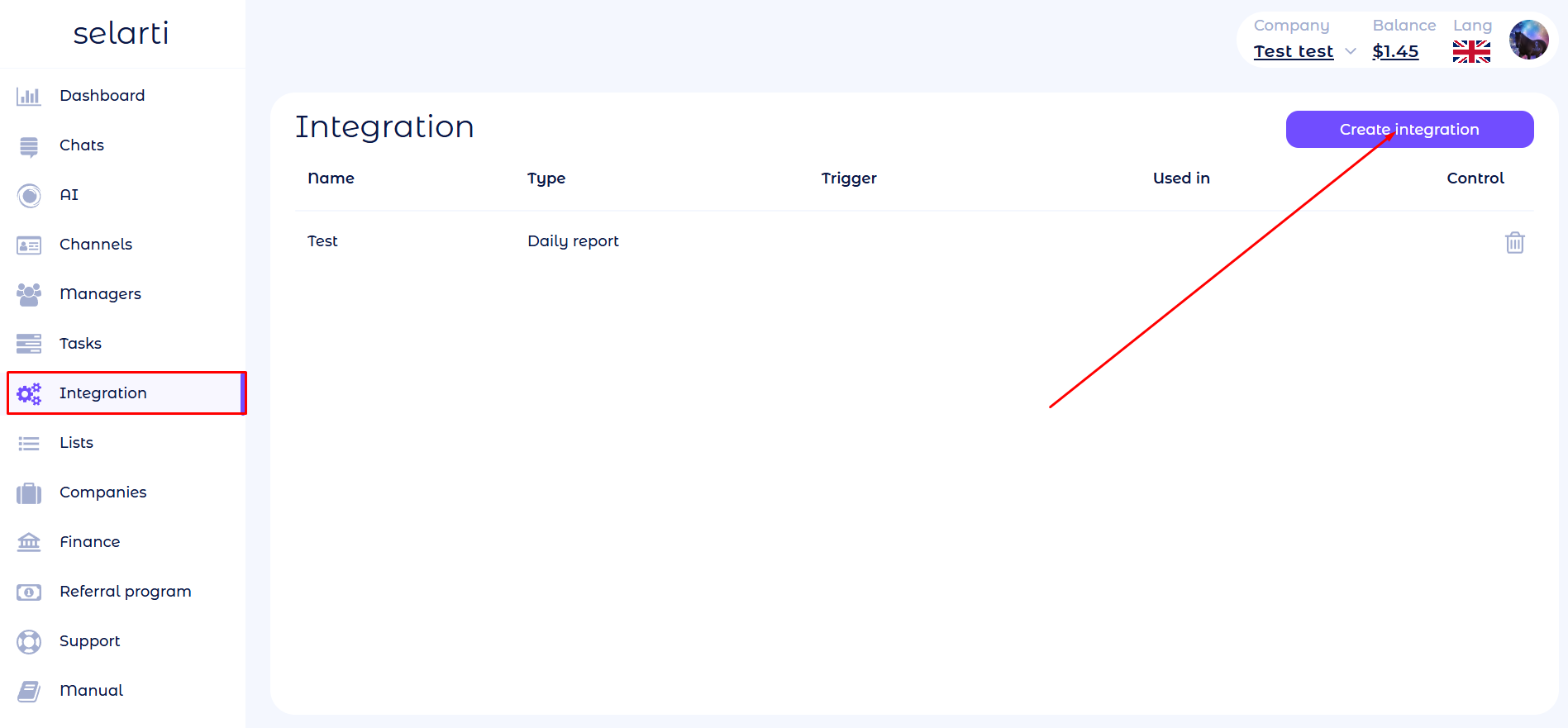
In the sidebar go to the «[*Integration*](https://selarti.com/panel?menu=integration)».
## Main elements
The central part of the screen displays a list of created integrations.
* **Name** — the name you specified when creating the integration.
* **Type** — the type of integration (with which service the integration is configured).
* **Trigger** — the events that will send the webhook.
* **Used in** — tasks in which the integration is involved.
* **Control** — deletion of the integration.
## Creating an integration
In the «*Integration*» section click the «*Create integration*» button located in the top right corner of the screen.
A form to create an integration will open.
In the dropdown menu select the integration you want to configure. Available options:
* **Telegram notifications —** sending notifications to Telegram about important customer messages — about new orders and inquiries. More details in [a separate article](/manual-en/external-integrations/telegram-notifications-for-dialog-statuses.md).
* **Albato** — a webhook will be sent when the AI agent receives contacts or consent for a targeted action. Detailed setup in [a separate article](/manual-en/external-integrations/integration-using-the-albato-service.md).
* **Zapier** — a webhook will be sent when the AI agent receives contacts or consent for a targeted action. Detailed setup in [a separate article.](/manual-en/external-integrations/integration-using-the-zapier-service.md)
* **Make** — a webhook will be sent when the AI agent receives contacts or consent for a targeted action. Detailed setup in [a separate article](/manual-en/external-integrations/integration-using-the-make-service.md).
* **Another** **—** a webhook will be sent for integration with an external messenger. More details in [a separate article](/manual-en/external-integrations/integration-with-an-external-messenger.md).
* **Daily report** — setting up sending daily reports to a chat, channel, or direct messages in Telegram. Detailed setup in [a separate article](/manual-en/external-integrations/daily-reports-in-telegram.md).
* **Balance** — specify the threshold at which the administrator will receive notifications in Telegram about balance replenishment.
## Editing an integration
To make changes:
1. Click the integration you want to edit. The integration editor window will open.
2. Make the necessary changes.
3. Click «*Save*».